
Melbet Aviatrix: Crash Flights, Dual Bets, and Fair Play
Aviatrix puts the focus on an aircraft that climbs through the round while the multiplier rises with it. You can place 2 separate bets and collect them at different points, which gives you more control over each round. The Provably Fair system also lets you verify flight results after they finish. New players can use the Melbet casino welcome bonus of up to 212,000 INR + 250 FS across 3 deposits. The game also includes Autoplay, an in-game Loyalty Program, and custom aircraft features. The mobile version works on Android and iOS, with a Lite mode for devices with limited resources.

Aviatrix Game Details at a Glance
A few technical details can help you compare Aviatrix with other crash games available in the casino. The table below brings together the main information about the provider, release date, betting limits, supported devices, and other key points.
| Game Name | Aviatrix |
| Year of Release | 2022 |
| Provider | Aviatrix |
| Platform | Melbet |
| Game Type | Crash / Multiplier |
| RTP | 97% |
| Demo Mode | Yes |
| Minimum Bet | 1 INR |
| Maximum Win | 10,000x |
| Bonus for New Users | Casino Welcome Pack: 450% up to 212,000 INR + 250 FS |
| AutoPlay | Yes |
| Works On | Android, iOS, PC |
| Languages Supported | English, Hindi, Bengali, and more |
How to Play Aviatrix on Melbet: From Account Setup to Your First Flight
Aviatrix uses a short round format where you place a bet before takeoff and decide when to collect the payout. The game has 2 betting panels, so you can set up separate stakes and cash-out points within the same flight. Before you start, create your account, check the available bonus, and add funds in INR. The 5 steps below take you through the whole process.
Step 1
Create Your Melbet Account
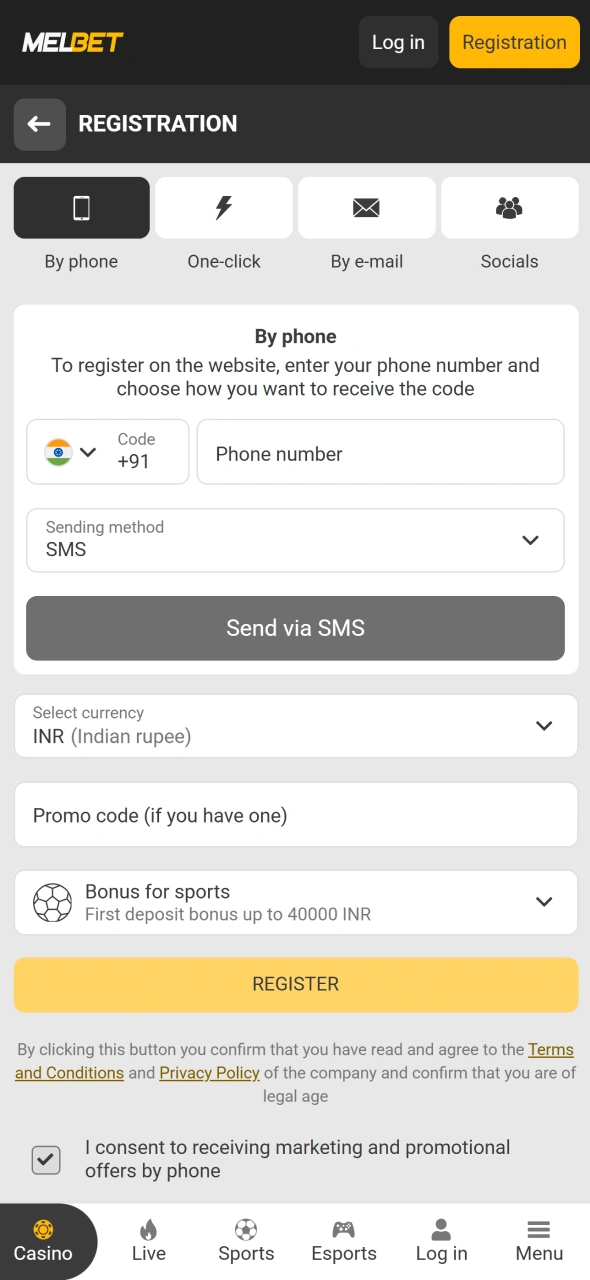
Click the registration option and choose one of the available methods: phone number, e-mail, one-click registration, or a social account. Enter the required details, select INR as your currency, and complete the account confirmation.
Step 2
Check the Welcome Bonus
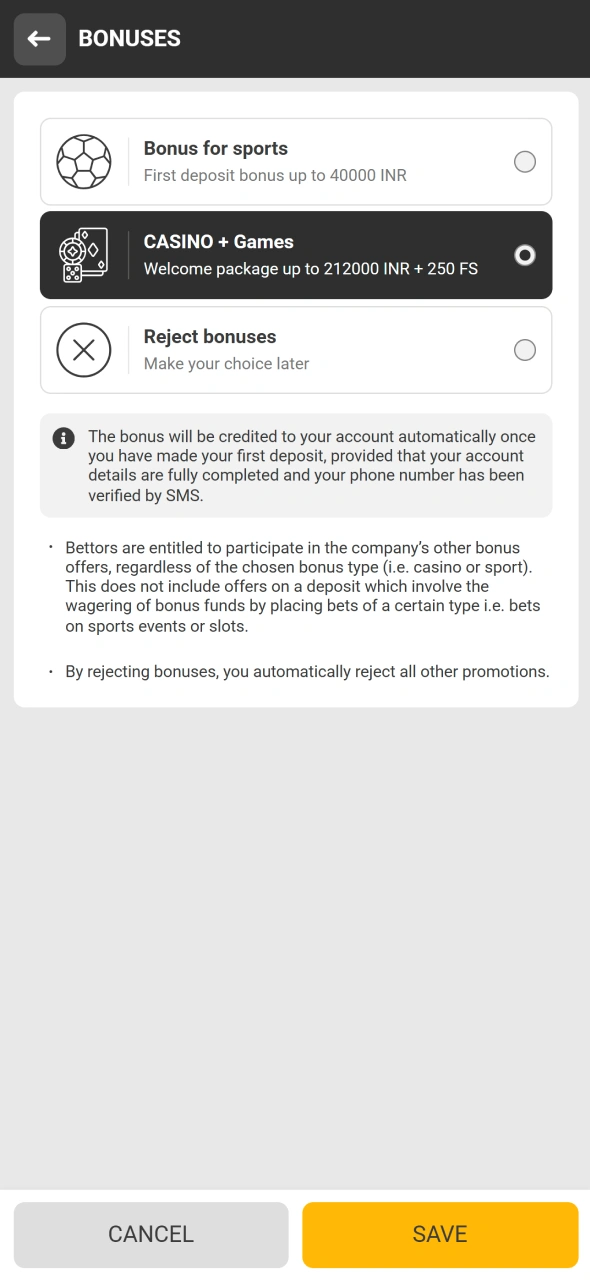
Open the bonus section before your first deposit and review the current casino promotion. New players can receive up to 212,000 INR + 250 FS across 3 deposits, subject to the applicable terms.
Step 3
Add Money to Your Balance
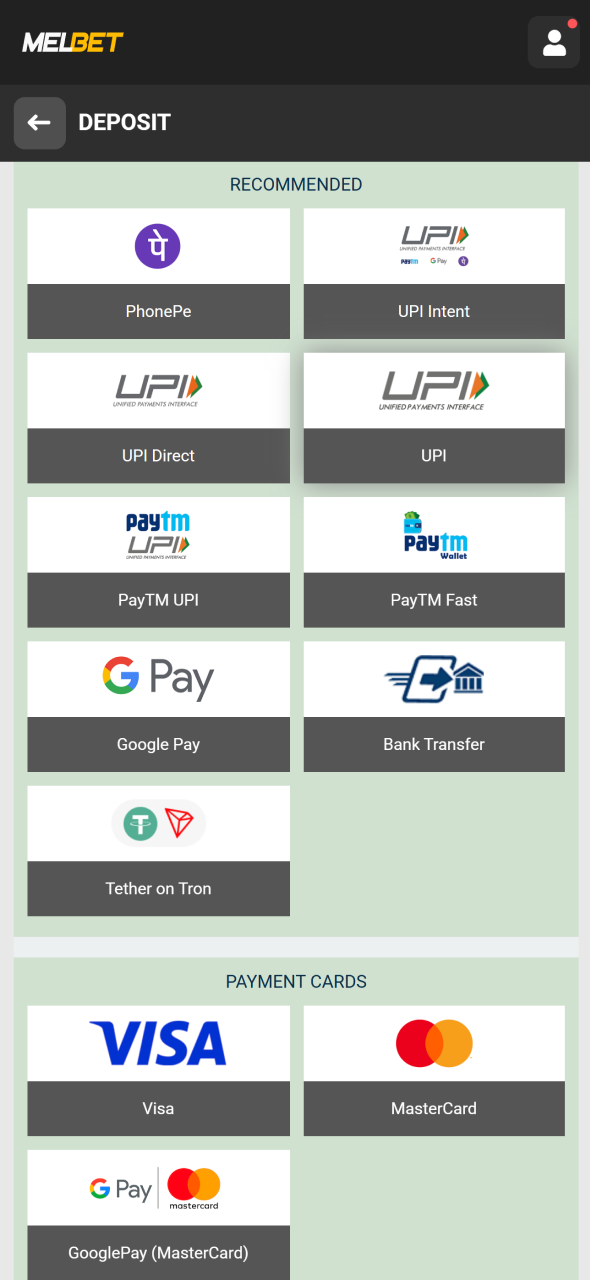
Go to the deposit section and select a payment method. Options for Indian users include UPI services, e-wallets, bank transfers, mobile payments, and cryptocurrencies. Enter the amount in INR and complete the payment.
Step 4
Find Aviatrix in the Casino
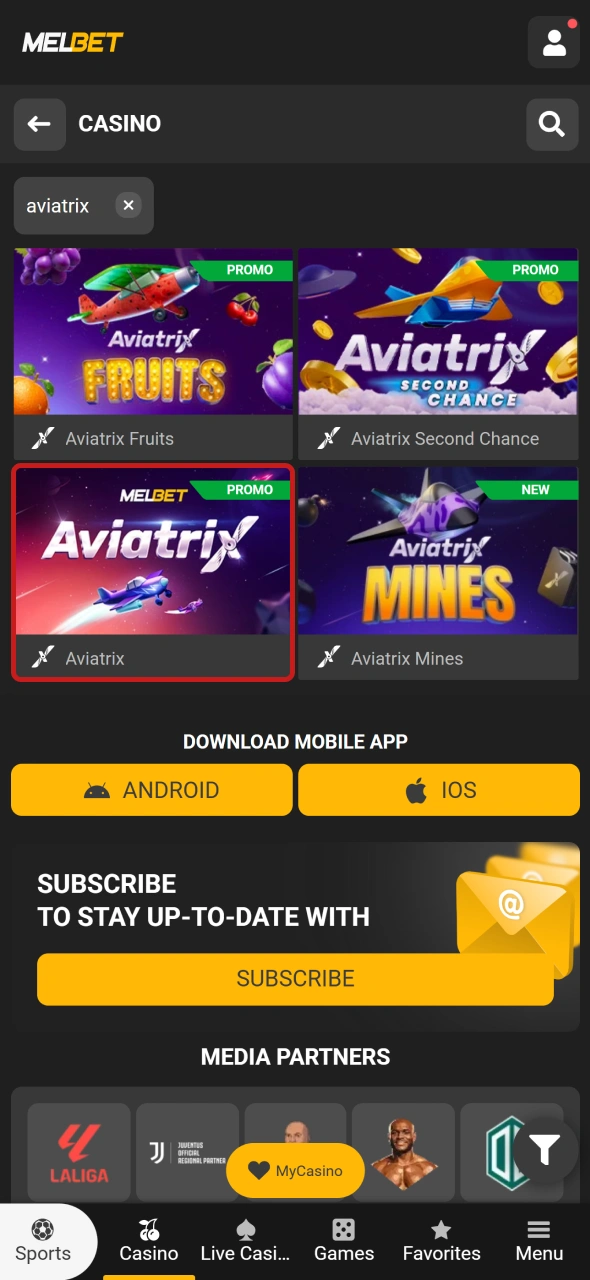
Open the Casino section and look through the Crash Games category or use the search field. Select Aviatrix to load the game screen, where you can see the flight area, betting panels, player activity, and round information.
Step 5
Place Your First Bet
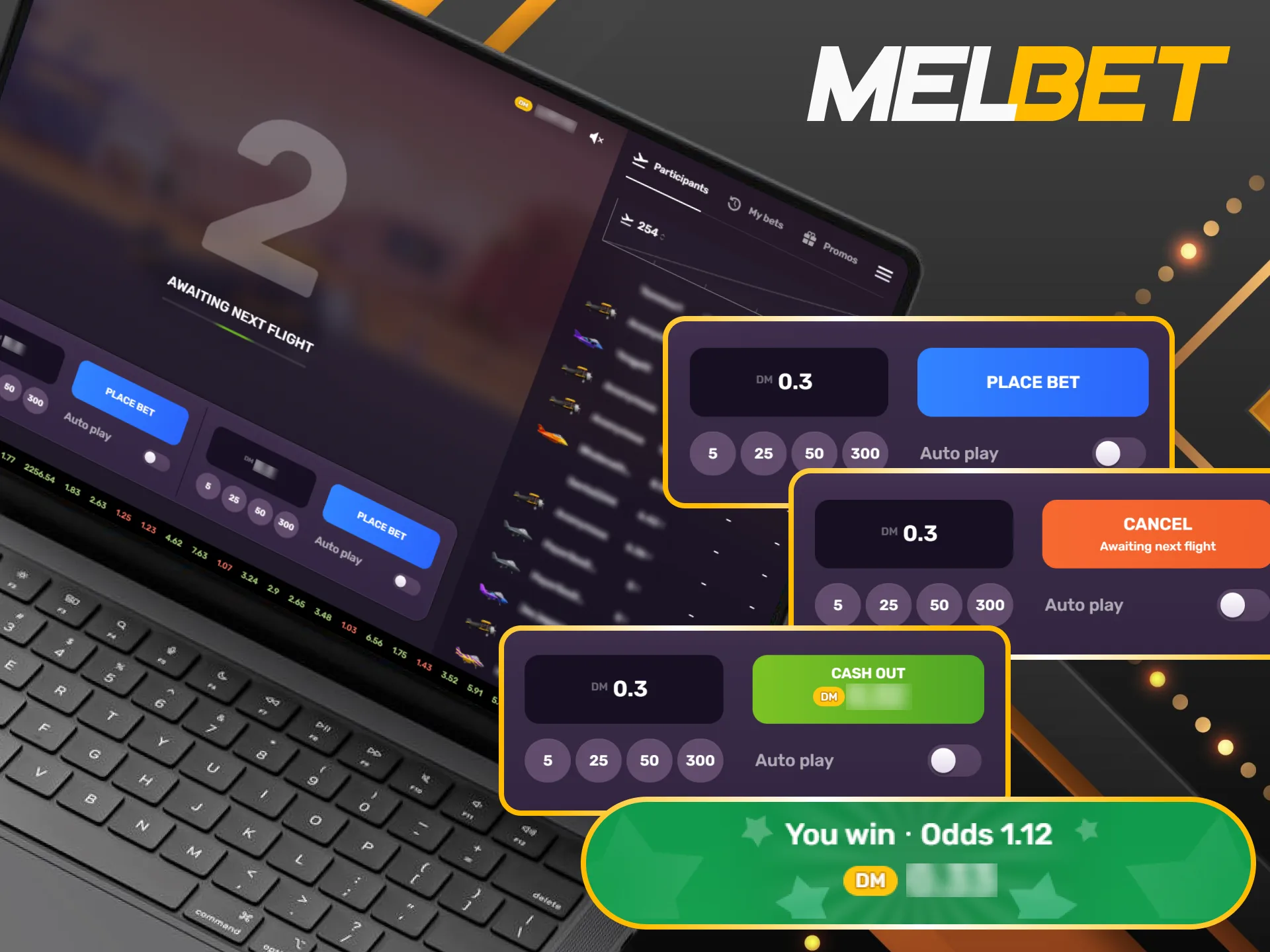
Choose the stake in INR and press Place Bet before the next flight starts. You can use one or both betting panels, then collect each bet separately as the multiplier rises. If the aircraft crashes before you collect a bet, that stake is lost.
Melbet Aviatrix Bonus Offer for New Players
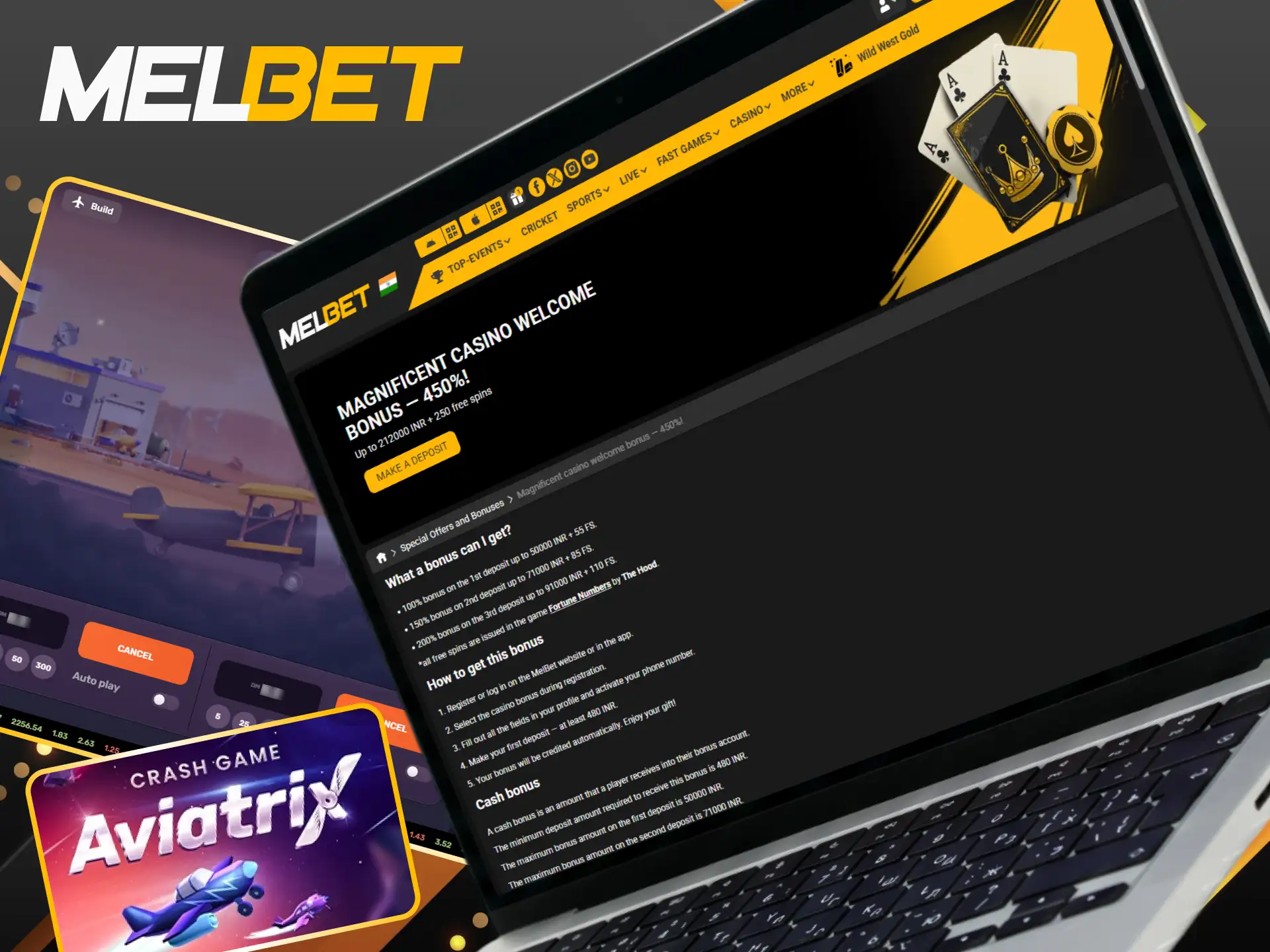
There are several parts to the current casino welcome package, with rewards linked to the first 3 deposits. The first deposit can add 100% up to 50,000 INR + 55 FS, followed by 150% up to 71,000 INR + 85 FS on the second and 200% up to 91,000 INR + 110 FS on the third. A minimum deposit of 480 INR is required to enter the promotion. The cash bonus has a x40 wagering requirement and must be wagered within 7 days, with a maximum 480 INR stake during this period. Free Spins from the package are credited for Fortune Numbers from The Hood. Before the deposit, activate your phone number and select the casino bonus during registration so the promotion can apply to your account.
Aviatrix on Mobile: Play From Android or iPhone
Aviatrix works on mobile devices, so you can access the game without a desktop computer. The mobile interface keeps the betting panels, flight area, and main controls available on a smaller screen. Android users can install the Melbet app, while iPhone users can save the Melbet page as a home screen shortcut through Safari.
Step 1
Sign In on Your Phone
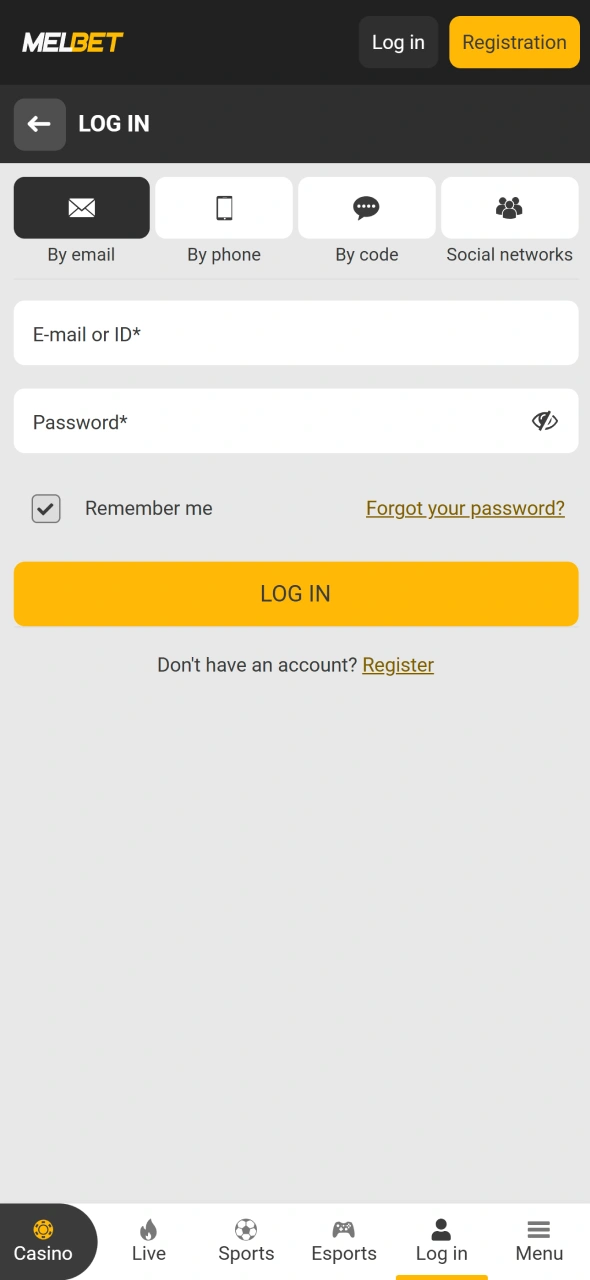
Open the Melbet page from your mobile browser and log in to your account. If you already have the Melbet PWA on your home screen, launch it from the shortcut instead.
Step 2
Open the Aviatrix Game
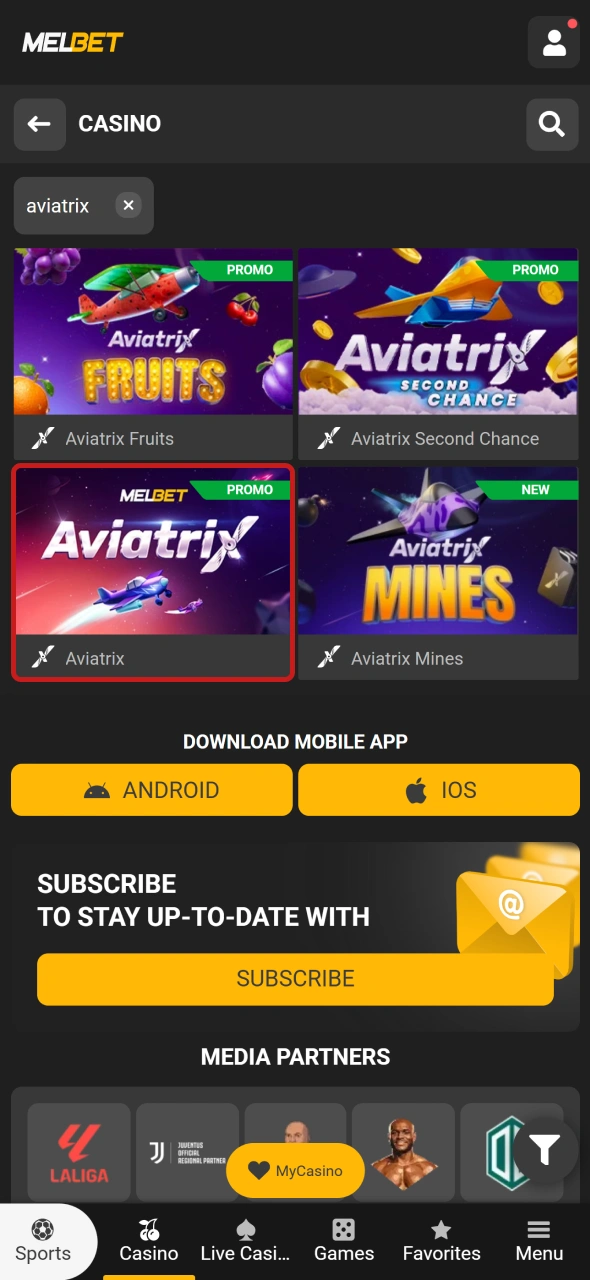
Go to Casino and find the Crash Games section. You can browse the available titles or type Aviatrix into the search field, then tap the game to open its interface.
Step 3
Set Up the Bet
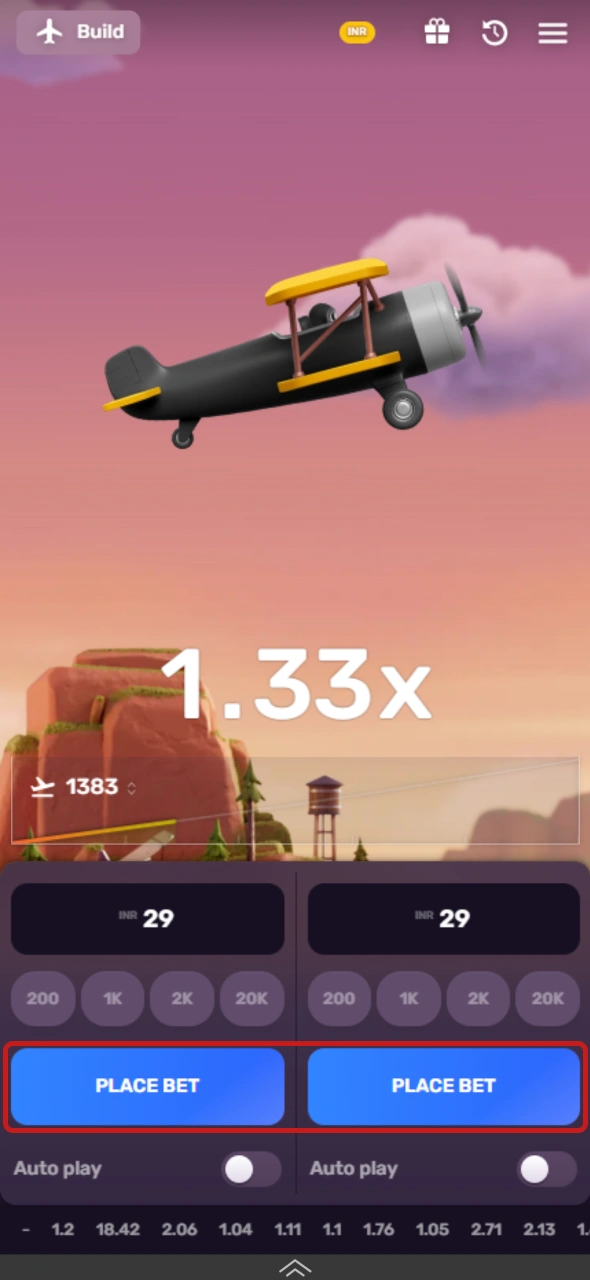
Aviatrix has 2 betting panels, so you can use one or both for the next flight. Enter your stake in INR and check the selected amount before you press Place Bet.
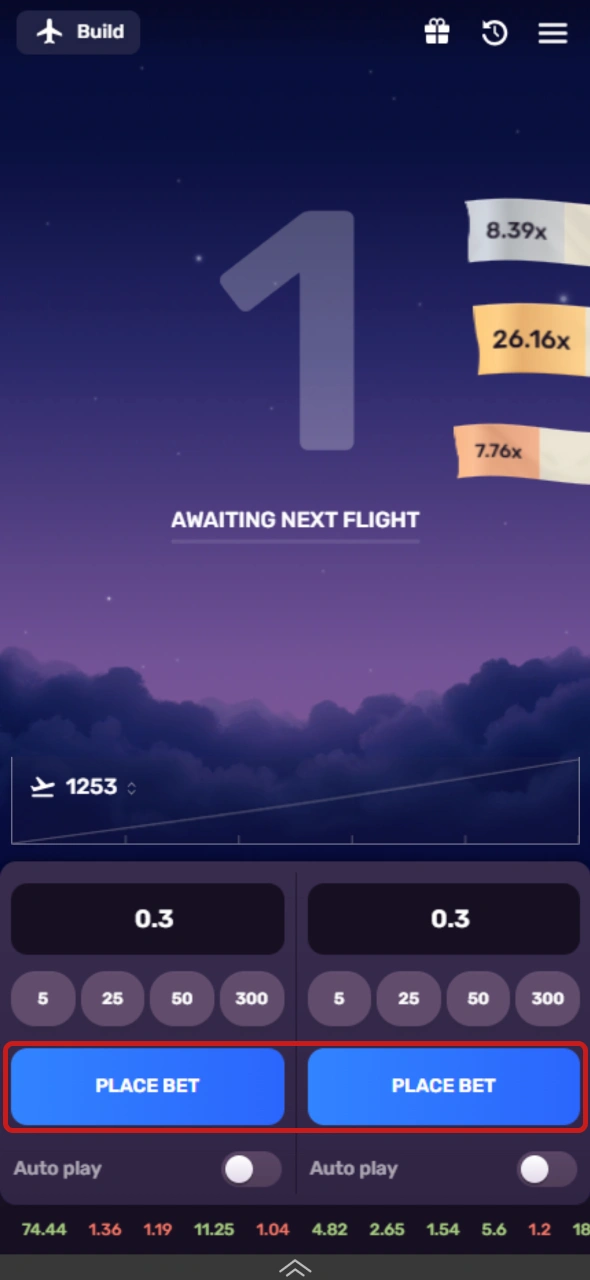
Step 4
Wait for Takeoff
Press Place Bet before the next flight begins. Once the aircraft takes off, the multiplier starts to rise, and you can collect your bet at the point you choose.
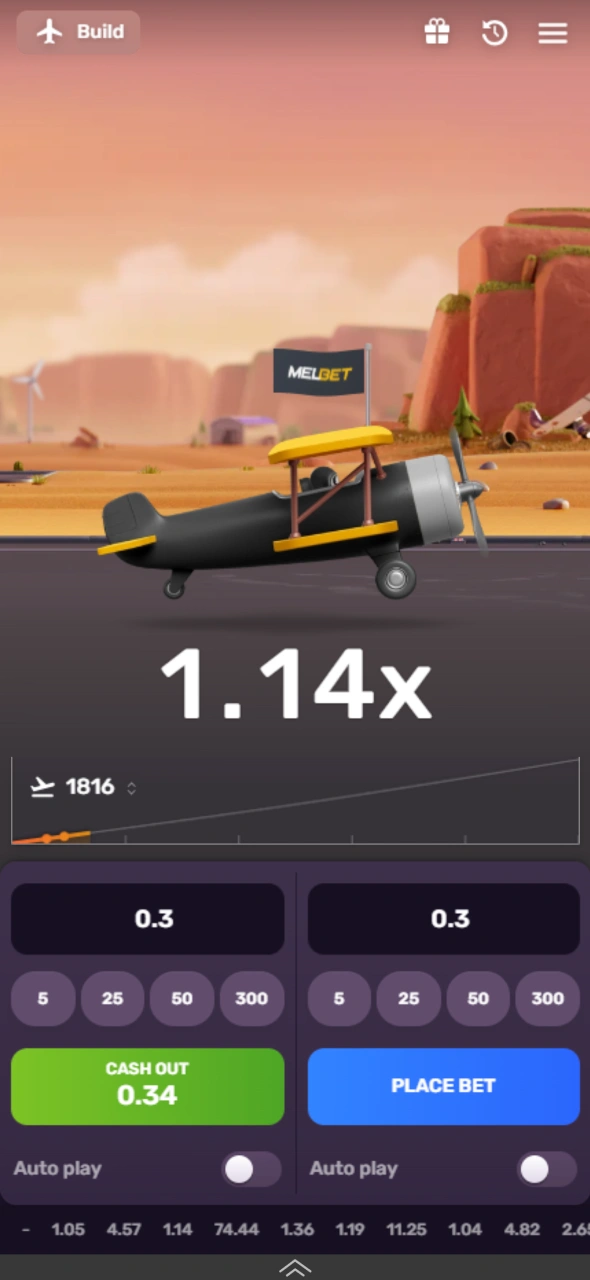
Step 5
Collect Your Winnings
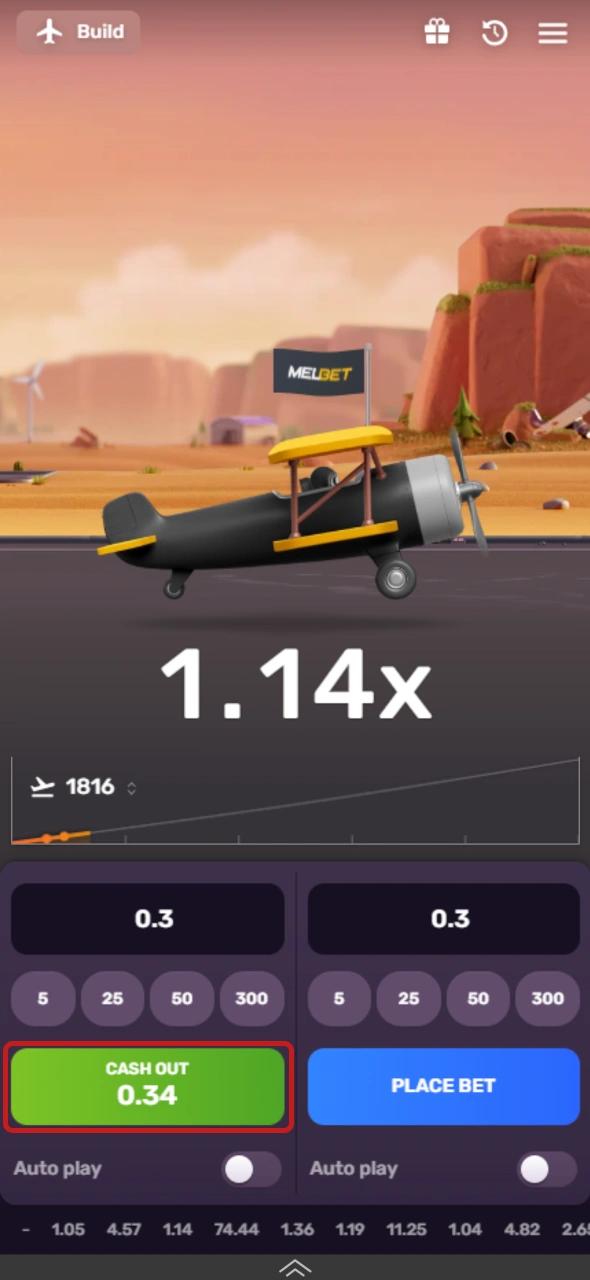
Use the cash-out control when you want to close a bet. If you have 2 active bets, each one can have its own cash-out point, so one can close earlier while the other continues.
Install the Melbet App on Android for Aviatrix
The Android version can be installed through the Apps section of the Melbet page. The APK file requires installation permission from the browser before Android can complete the setup.
- Open the Apps section and tap Download.
- Wait for MelBet.apk to finish its download.
- Go to Settings and open Install unknown apps.
- Select the browser that saved the APK and enable permission for app installation.
- Find MelBet.apk in your downloads and tap Install.
- Open the Melbet app, sign in, enter Casino, and select Aviatrix.
Use Aviatrix on iPhone Through Safari
On iOS, you can save the Melbet page to the home screen instead of installing an App Store application. Safari creates a shortcut that lets you open the site and reach Aviatrix directly.
- Launch Safari and open the Melbet page that you already use.
- Tap the Share icon in the browser toolbar.
- Scroll through the menu and choose Add to Home Screen.
- Review the shortcut name and press Add in the upper-right corner.
- Find the new Melbet icon on the iPhone home screen and tap it.
- Sign in, open Casino, and select Aviatrix.
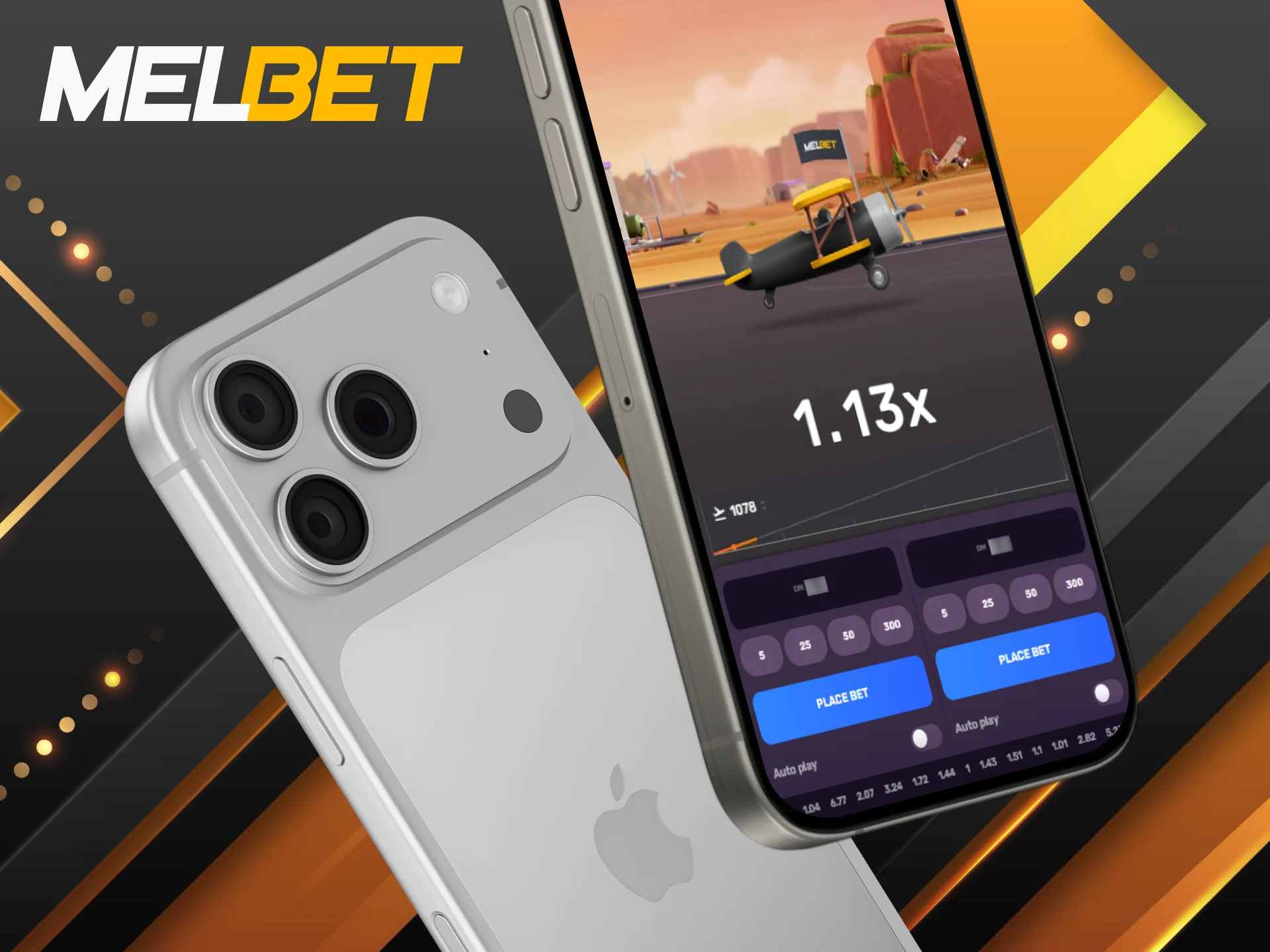
Aviatrix Demo Mode: Test the Flight Before Real-Money Play
There is also a demo version for players who want to learn the game without putting money at risk. You can use it to understand the flight sequence, test the betting controls, and see how the multiplier behaves during a round. The main advantages of the free version include:
- Learn the crash mechanics: See how the aircraft takes off, how the multiplier rises, and when a flight can end;
- Test both betting panels: The game supports 2 separate bets, so the demo lets you get familiar with both controls before real-money play;
- Practise cash-out timing: Try different points for collecting a bet and see how the result changes when you wait for a higher multiplier;
- Explore Autoplay: Check how the automatic betting function works and become familiar with its controls without using your real balance;
- Learn the game interface: Get to know the betting consoles, flight display, and other controls before you move to real-money rounds.

Aviatrix Game Rules: How Each Flight Works
The game follows a crash format where the aircraft takes off, and the multiplier rises during the flight. Your bet stays active until you collect it or the aircraft crashes, so the cash-out point affects the final payout. The rules below explain the multiplier, betting period, 2 betting panels, cash-out process, and Provably Fair system.
- The multiplier starts at 1.00x: Each flight begins at 1.00x and rises as the aircraft moves upward. A higher multiplier means a higher potential payout on an active bet;
- Place your bet before takeoff: Bets must be placed during the short period before the next flight starts. Once the aircraft takes off, you cannot add a new bet to that round;
- Two bets are available: The 2 betting panels let you place separate stakes within the same round. Each bet can have its own cash-out point;
- Collect before the crash: Press the cash-out button while the aircraft is still in flight to receive the multiplier shown at that moment. If the aircraft crashes first, the active bet is lost;
- Every flight can end at a different point: The aircraft may crash at a low multiplier or continue to a much higher value. The result of one flight does not determine the result of the next;
- Autoplay can handle future bets: The feature can place bets automatically based on your selected settings. Separate controls are available for the 2 betting panels;
- Results can be verified: The Provably Fair system lets you check the result of a completed flight. Each round has an encrypted result and a seed that can be compared after the flight.
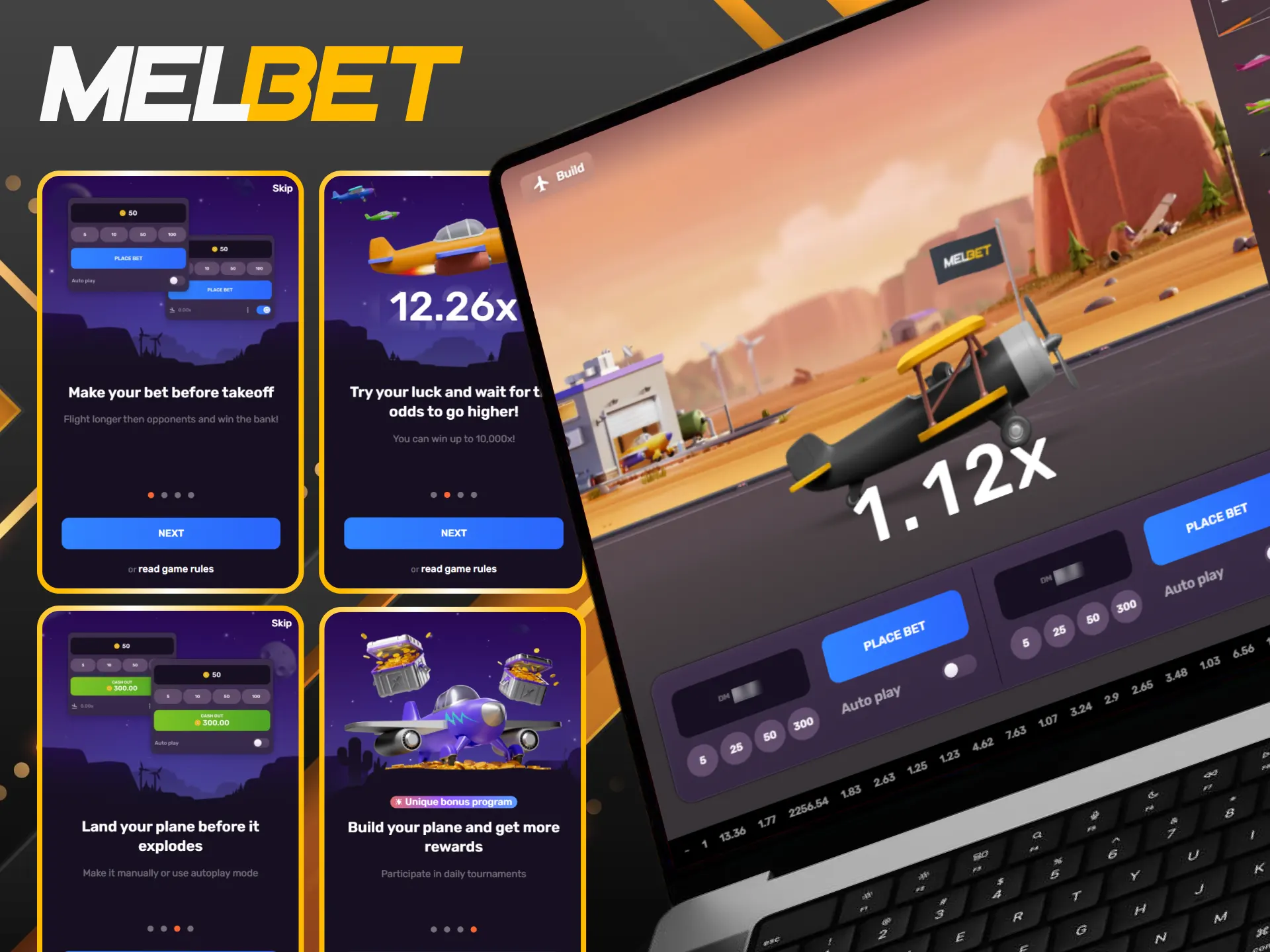
Aviatrix Strategies: Ways to Control Your Bets
No strategy can predict the exact point at which the aircraft will crash. A better approach is to set clear limits before a session and use the 2 betting panels with a specific plan. These 5 ideas focus on stake control, cash-out choices, and disciplined play.
- Set a fixed stake: Choose an INR amount that fits your budget and use it for each round. Avoid increasing the stake after a loss in an attempt to recover the previous bet;
- Use 2 bets with different targets: One panel can have an earlier cash-out target, while the second can wait for a higher multiplier. This approach separates part of the potential return from the higher-risk bet;
- Set an automatic cash-out: Autoplay and automatic cash-out settings can help you follow a predetermined multiplier instead of making a decision during the flight. Choose a target before the round starts and keep the setting consistent;
- Set a session limit: Decide your maximum spend before you begin and stop once you reach that amount. A separate time limit can also help prevent a session from becoming longer than planned;
- Use Demo Mode first: Test the controls and 2 betting panels without real money before you start a real-money session. The demo can also help you understand the cash-out process and game interface.
Deposit Methods for Aviatrix on Melbet
Before a real-money session, you need to add funds to your Melbet balance. The table below shows the available methods together with their deposit limits and estimated processing times.
| Payment Method | Type | Min Dep | Max Dep | Processing Time |
|---|---|---|---|---|
| PhonePe | E-wallet | 300 INR | 50,000 INR | Instant–10 min |
| UPI | UPI payment | 300 INR | 100,000 INR | Instant–10 min |
| PayTM Wallet | E-wallet | 100 INR | 500,000 INR | Instant–10 min |
| Google Pay | E-wallet | 500 INR | 50,000 INR | Instant–10 min |
| Bank Transfer | Bank transfer | 500 INR | 100,000 INR | 5–30 min |
| BharatPe | E-wallet | 350 INR | 50,000 INR | Instant–10 min |
| Skrill | E-wallet | 553.99 INR | 5,539,892.47 INR | Instant–30 min |
| MiFinity | E-wallet | 1,107.98 INR | 276,994.63 INR | Instant–30 min |
| IMPS | Bank transfer | 300 INR | 100,000 INR | Instant–15 min |
| Cryptocurrency | Cryptocurrency | Varies | Varies | 5–30 min |
The cryptocurrency section has a large selection of coins and networks, so you can choose from several assets for your deposit. Supported options include Bitcoin, Ethereum, Litecoin, Tether on different networks, Dogecoin, XRP, Solana, Cardano, Monero, Dash, and other cryptocurrencies.
Benefits of Aviatrix on Melbet
Several practical features can make Aviatrix convenient for players who prefer crash games. The platform combines multiple payment options with mobile access, local-language support, and game functions such as Demo Mode and Autoplay.
- Hindi interface: The Melbet interface is available in Hindi, so Indian players can navigate the main account and casino sections in their preferred language;
- 100 INR minimum deposit: You can add as little as 100 INR with selected payment methods. This gives you a low entry point for a real-money session;
- Many payment options: UPI, PhonePe, PayTM Wallet, Google Pay, BharatPe, bank transfers, Skrill, MiFinity, IMPS, and cryptocurrency are among the available deposit methods;
- Demo Mode: The free version lets you test Aviatrix without using your real balance. You can learn the controls and cash-out process before a real-money session;
- 2 betting panels: Two separate bets can run within the same flight. Each panel can have its own stake and cash-out point;
- Provably Fair results: Completed flights can be checked through the Provably Fair system. The feature provides a way to verify the result of a round;
- Mobile access: Aviatrix works on Android and iOS devices, while the Lite mode can help reduce resource use on older phones and tablets.

FAQ
Can I use 2 bets in the same Aviatrix round?
Yes. Two betting panels are available during a flight, so you can place separate stakes and manage their cash-outs independently.
Can I create my own aircraft?
Yes. The Real Money mode includes a feature that lets you build and customise your own aircraft. Custom planes can also take part in races and tournaments and gain experience.
What is the Aviatrix NFT Marketplace?
The NFT Marketplace is a separate feature where players can bid on and sell NFT aircraft. It can be accessed from the game interface together with the Provably Fair section and other game tools.
Does Aviatrix have tournaments?
Yes. The game includes regular tournaments and reward programs. Custom aircraft can take part in certain races and tournaments, while player activity can contribute to leaderboard positions and rewards.
What is Lite mode in Aviatrix?
Lite mode is designed for older or less powerful mobile devices. It reduces the resource requirements so you can access the game on smartphones and tablets with more limited hardware.
Updated:
Comments